PS5, PS5 Pro and PS4
connect to your console with Sony's official Remote Play connection.
 GlossaSub
 reads the English subtitles in your game, translates them into your language with AI in seconds, and shows them on your phone, tablet or right on your TV, over the game. You can even listen to them.
Start free; no account needed.Try the demo →







GlossaSub reads the English subtitles of the game you play on your console, translates them with AI and shows them on your phone, tablet or right on your TV over the game. You can also listen to the translation.
connect to your console with Sony's official Remote Play connection.
sign in with your own Microsoft account on Microsoft's remote play page and pick your console.
Switch, PC, series, films or YouTube. Hold your phone to the screen and put the yellow frame over the subtitle.
Turn on English subtitles in the game; GlossaSub reads the subtitle, translates it within seconds and shows it. Nothing is installed on the console or the game, and game files are never touched.


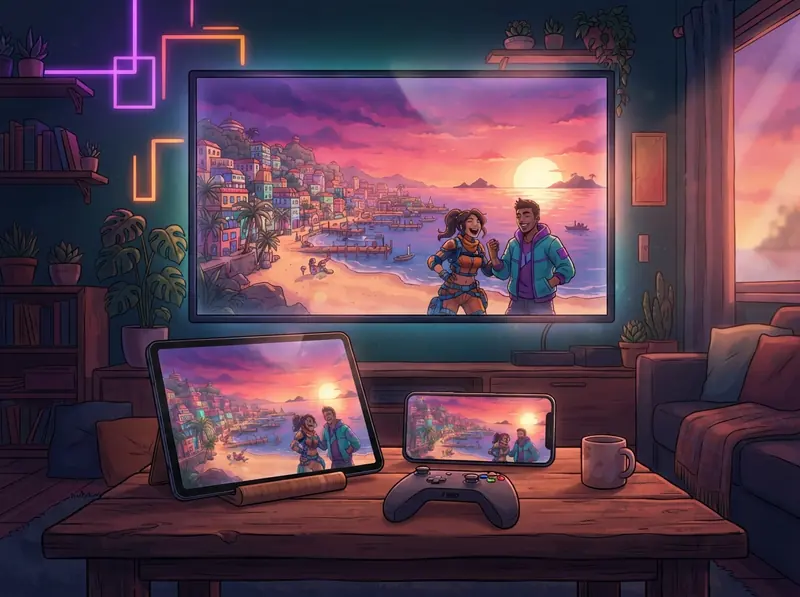
On Samsung, LG and Google TV the translation appears right over the game; you choose its size, color and position.
This is only the TV add-on; translation is done by the GlossaSub app on your phone (Google Play).

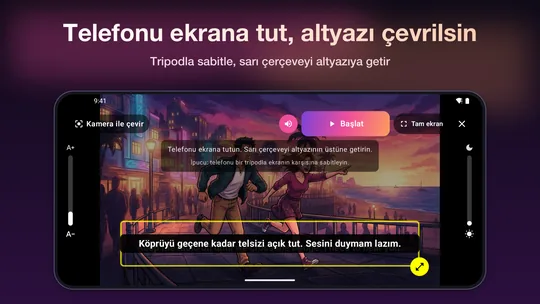
Switch, PC, series, films or YouTube. Hold your phone to the screen and put the yellow frame over the subtitle.

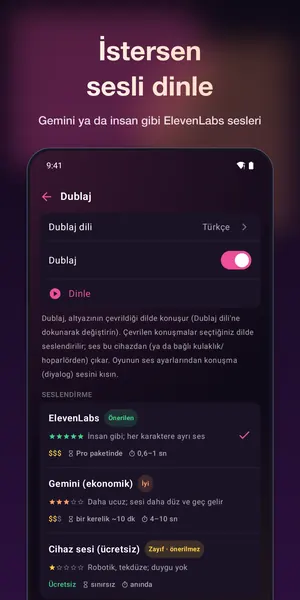
Hear the translation with Gemini voices or lifelike ElevenLabs voices. The voice follows the speaker: a female voice for female characters, a male voice for male ones.
Translate the text on screen with one tap: quest descriptions, menus, letters and notes.
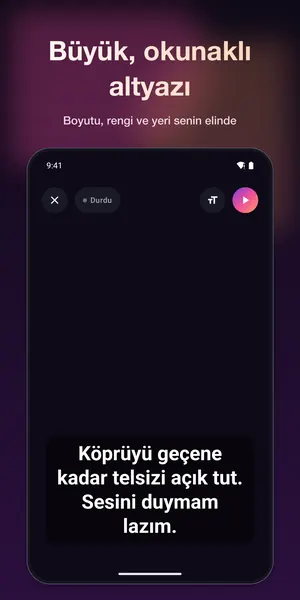
Turn your phone sideways and read big, comfortable subtitles like on a TV. Works on tablets too.
AI translation that knows the game and its characters (Claude and Gemini)
Subtitles over the game on your TV (Samsung, LG, Google TV); size and look are adjustable. Separate "GlossaSub TV" app for Google TV
Translate on-screen text: menus, quests, notes
Second screen: turn your phone sideways and read the subtitles large, like on a TV
Spoken dubbing: Gemini voices or human-like ElevenLabs voices; the voice follows the speaker (female / male)
Translation into 12 languages: Turkish, Arabic, Hindi, Indonesian, Vietnamese, Thai, Ukrainian, Czech, Hungarian, Greek, Romanian, Dutch
Video quality setting: smooth streaming even on a slow network (720p by default)
Not near your console? Try it right away in demo mode
 61 games
Dialogue from popular games is translated in advance. In games with a pack, lines arrive instantly with the best translation.
Games not on the list are translated instantly by AI as well.

English game subtitles are translated into:
Your own language packs and on-device translation are always free. Try AI translation and dubbing with a one-time free intro allowance (~5–25 hours of play with AI translation).
more AI translation time (~14–70 hours of play a month), plus Gemini dubbing
more translation (~27–135 hours of play a month) and dubbing for long gaming sessions
the most time (~54–270 hours of play a month), Claude and Gemini translation and ElevenLabs voices
a yearly plan for using your own AI key
a one-time top-up when your plan's time runs out (~7–35 hours of play)
Hours are approximate hours of play: your allowance is used by AI translation time, not play time, and lines from a language pack don't use it at all. So how long it lasts depends on whether the translation comes from a language pack: the lower figure is for a game without a pack, the higher one for a game where most lines come from a pack.
The app recommends the right plan based on how much you play each week and whether your games have a language pack.
Subscriptions renew automatically through your Google Play account at the end of each period unless cancelled. You can manage and cancel them any time in Google Play › Payments & subscriptions.
Your PSN details and keys are stored only on your device, encrypted; Microsoft sign-in happens on Microsoft's own page and we never see it. The game and camera picture never leaves your device. Subtitle text is processed only for translation and is not stored.
Privacy →The video loads from YouTube.
Detailed guides to every GlossaSub feature: PS5 and Xbox setup, camera translation, subtitles on TV, dubbing, game packs, plans, privacy and troubleshooting.
Play GTA VI (GTA 6) on PS5, PS5 Pro or Xbox Series X|S with subtitles in your language. No mod: GlossaSub shows the translation over the game on your TV.
Read more →
Translate English subtitles in PS5, PS5 Pro and PS4 games into your language with AI over Remote Play: setup, second PSN account, network and video tips.
Read more →
Ready-made game packs pre-translate the dialogue of popular games: offline, no AI allowance used, lines appear instantly. The list is updated all the time.
Read more →Download for free and try the demo right away.